Configure IP-STB IP
These steps are required to change the IP settings.
Main flow
-
Enter Boot loader configuration menu.
-
Enter code [2 3 5 7] by using the number buttons on the remote
control. This will show the hidden IP option.
This code should be kept secret, and
never disclosed to any end customers.
-
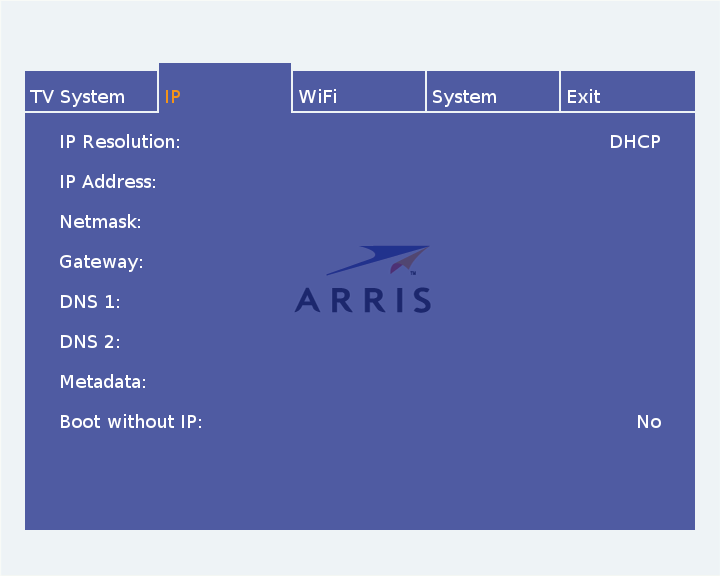
Select IP option, a configuration settings dialog similar to the
one presented below will appear.
-
IP Resolution, choose DHCP or static IP by using the OK button. If a static IP address is to be set, follow the
instructions below:
-
Select the address options and fill in the values by using the appearing on-screen keyboard.
-
The DNS and Metadata fields are optional.
The Metadata option is the multicast address
referred to as the metadata channel. The default channel
224.2.2.2:22222 will be used if this field
is left blank.
-
Boot without IP, choose Yes or No by using the OK button.
-
Return to the main menu by pressing arrow UP or BACK button. Select Exit option to save and reboot.

