

| Motorola Mobility Confidential Restricted. | |||||||||||||||||||||||||||||||||||||||||||||||||||||||||||||||||||||||||||||||||||||||||||||||||||||||||||||
|
ToiPlatformService Interface Reference Description
The Platform Service contains functions for rebooting, standby and factory reset.
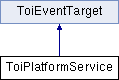
Inheritance diagram for ToiPlatformService:
Member Typedef Documentation
A sequence of component information.
The state describing a dynamic component.
The reset flag indicates which parts of the STB that shall be reset when a factory reset is performed.
The TToiResetReason enumerates the reasons why the platform is being reset. Member Function Documentation
This method creates a power control instance that allows an application to do power management.
Perform factory reset. Which parts of the persistent storage that is reset to factory state is dependent on which flags that are given to the function call. After the reset is perform, the STB will reboot to ensure that it boots up in a factory reset state.
Returns information for a platform component.
Returns information of available platform components.
Returns information of available power controller.
Reboot the platform the next time the system goes from active to standby state. This is used for starting a new boot image in a way that is less disturbing to the end user.
Reboot the platform immediately in a controlled way. This is useful to force the usage of a new boot image after upgrade.
Registers interest in a dynamic component. If not already active this method activates the dynamic component with the given identifier. The calling application should register itself as an ToiPlatformObserver and listen to ToiPlatformComponentInfoChangedEvent to know when the component is activated. If the component has already been activated by another user (indicated by the active flag) no event will be sent.
Releases interest in a dynamic component with the given identifier. All resources allocated by the dynamic component will be released when it becomes inactive. If another user still has interest in the component it will not be deactivated (indicated by the active flag).
Enter or leave standby. In standby all video and audio outputs are disabled. Applications are stopped or left running depending on the system configuration. If the system is already in the requested mode the call will have no effect.
Member Data DocumentationThe dynamic component is active and ready for use. This constant can also be accessed from toi.consts.ToiPlatformService.COMPONENT_STATE_ACTIVE. The dynamic component is inactive with no resources allocated. This constant can also be accessed from toi.consts.ToiPlatformService.COMPONENT_STATE_INACTIVE. The dynamic component has been activated and is allocating its initial resources but is not yet ready for use. This constant can also be accessed from toi.consts.ToiPlatformService.COMPONENT_STATE_PENDING_ACTIVE. The dynamic component has been deactivated and is releasing its resources and is not yet ready to be activated again. This constant can also be accessed from toi.consts.ToiPlatformService.COMPONENT_STATE_PENDING_INACTIVE.
Execute custom script/procedures. This is done after any other reset actions. This constant can also be accessed from toi.consts.ToiPlatformService.CUSTOM_POST_PROCEDURE.
Perform a full factory reset. This constant can also be accessed from toi.consts.ToiPlatformService.FULL_RESET.
This is an Event identifier for ToiPlatformComponentInfoChangedEvent. This constant can also be accessed from toi.consts.ToiPlatformService.ON_COMPONENT_INFO_CHANGED.
This is an Event identifier for ToiPlatformPendingResetEvent. This constant can also be accessed from toi.consts.ToiPlatformService.ON_PENDING_RESET.
This is an Event identifier for ToiPlatformPowerControllerStatusChangedEvent. This constant can also be accessed from toi.consts.ToiPlatformService.ON_POWER_CONTROLLER_STATUS_CHANGED. Reformat the internal HDD. This constant can also be accessed from toi.consts.ToiPlatformService.REFORMAT_INTERNAL_HDD.
This constant can also be accessed from toi.consts.ToiPlatformService.REMOVE_CHANNELS. Remove all persistent cookies for SVG and HTML browsers. This constant can also be accessed from toi.consts.ToiPlatformService.REMOVE_PERSISTENT_COOKIES. Remove all persistent InformationService variables. This constant can also be accessed from toi.consts.ToiPlatformService.REMOVE_PERSISTENT_INFORMATION_OBJECTS. Remove all portal databases. Currently only affects the HTML browser for which the HTML5 database is removed. This constant can also be accessed from toi.consts.ToiPlatformService.REMOVE_PORTAL_DATABASES. Few, if any, configuration settings are removed on this level of reset. This constant can also be accessed from toi.consts.ToiPlatformService.RESET_REASON_LEVEL_0. The platform is being reset before receiving configuration settings from a headend. In preparation, many configuration settings are first removed. This constant can also be accessed from toi.consts.ToiPlatformService.RESET_REASON_LEVEL_1. Most platform settings are erased on this type of reset, but downloaded applications will remain on the settop. This constant can also be accessed from toi.consts.ToiPlatformService.RESET_REASON_LEVEL_2. Most platform settings are erased on this type of reset. In addition, all downloaded applications will also be removed. This constant can also be accessed from toi.consts.ToiPlatformService.RESET_REASON_LEVEL_3.
Reset the TR-069 data model. This constant can also be accessed from toi.consts.ToiPlatformService.RESET_TR069_DATA_MODEL. |