| ARRIS Enterprises, Inc. Confidential Information |
Multiple ApplicationsPrimary ApplicationThus far in the example we have only looked at the example portal itself, which is running in the primary browser on the STB. This page shows how the primary application can switch between itself and a secondary application, and how it should handle input. Hole-punching for videoThe HTML video element in the primary brower is used for a hole-punching effect. Set the coordinates for the video element, and assign it the CSS property "object-fit:fill". This means that the video will be rendered to the same coordinates in the compositor buffer as the video element. The video element becomes a hole in the primary application, and the video layer underneath will become visible. If the secondary app is in 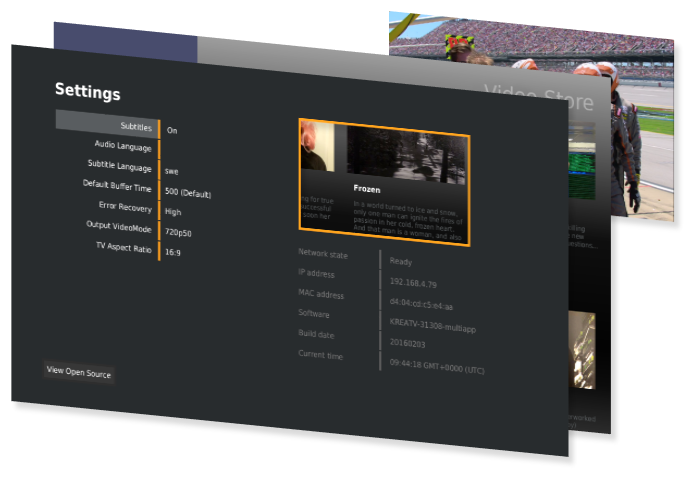
Hole punching with secondary in STATE_VISIBLE 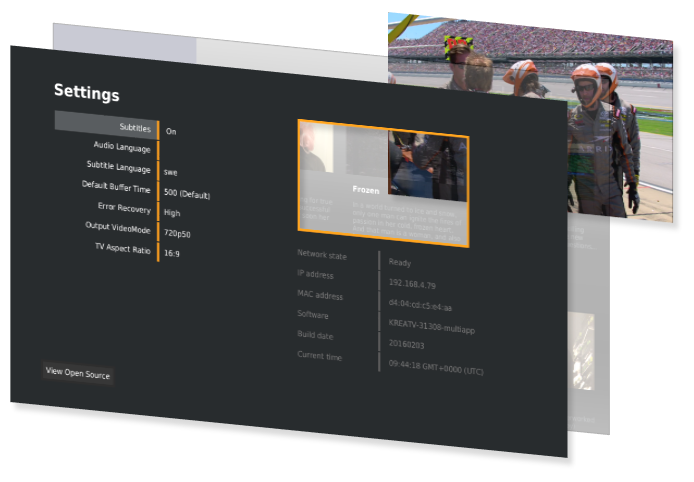
Hole punching with secondary in STATE_HIDDEN Fullscreen TransparencyAs the primary application is always visible, a fullscreen video element is used to give the impression of switching applications entirely. The diagram below illustrates this. Here, the example portal, running in the primary application, is composed of one fullscreen video element, and also an orange menu bar. The z-index for the menu bar is set higher than the z-index of the video element, so it is drawn on top. The video element itself is a transparent hole, allowing the lower layers to be shown. Like above, when the secondary application is hidden, the video will be shown. If the secondary is shown, the portal does not display the menu bar, and only the secondary is seen. 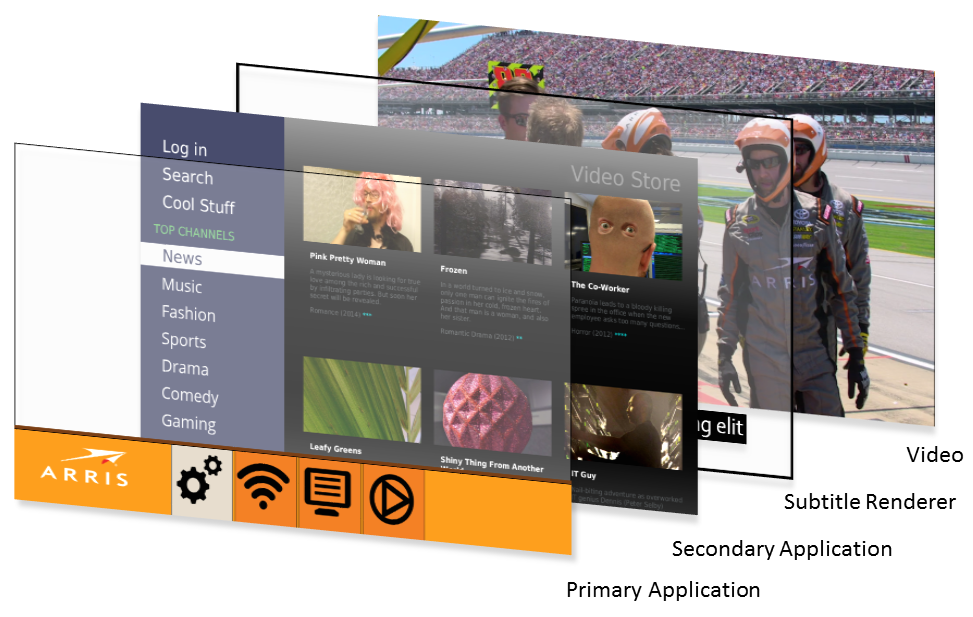
The KreaTV platform manages the Subtitle Renderer layer. Boot image configurationThe secondary application is added with the kreatv-app-webkit-browser IIP. Please see the separate tutorial on configuring the boot image for multi-application support. A separate example is provided in the SDK at InitializationThe example portal, during its initialization, checks the state of the secondary applications. The current technical preview of multi-app provides only one secondary application, but it is likely that several secondary applications will be provided in coming releases. The portal iterates through the secondary applications, checking their state. For applications which have <sdk_root>/examples/example-html-portal/index.js
It also adds an event listener for Switching ApplicationsWhen the user clicks on the Video Store icon, it is time for the portal to switch applications. Here it is important to note that the primary application is actually always visible. It needs to do several tasks:
The example portal does these things in the following <sdk_root>/examples/example-html-portal/index.js
When hiding the secondary application, the portal just needs to call <sdk_root>/examples/example-html-portal/index.js
The URL for the secondary applicationThe example portal passes a URL to the secondary application in the |

