• Quick Start
  • Booting
  • Platform
  • Portals
  • References
    • API Reference TOI3
    • IIP Reference
  • Resources
ARRIS Enterprises, Inc. Confidential Information

Configure IP-STB TV System

These steps are required to change the TV system, i.e between PAL and NTSC.

Main flow

  1. Enter the boot loader configuration menu.

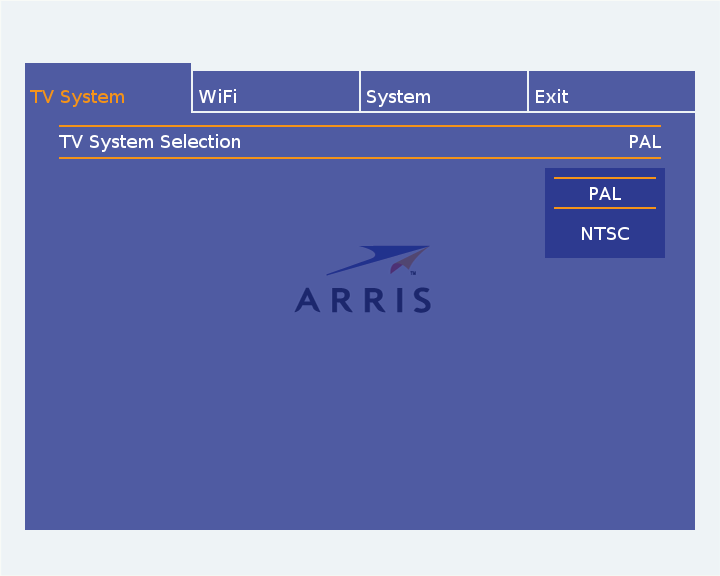
  2. Select TV System menu option, a configuration settings dialog similar to the one presented below will appear.

  3. Use arrow UP and DOWN buttons to change between PALs and NTSC (or other tv systems if such should be available on the IP-STB). Select tv system by pressing OK button.

  4. Return to main menu by using arrow UP or BACK button. Select Exit option to save and reboot.

5.0.1

Copyright (c) 2016 ARRIS Enterprises, LLC. All Rights Reserved. ARRIS Enterprises, LLC. Confidential Information.